If you're stuck or want to suggest something, there are several ways to reach the Tallerio team. It all starts at the Help Center, which you can open from any screen in the app.
Open the Help Center
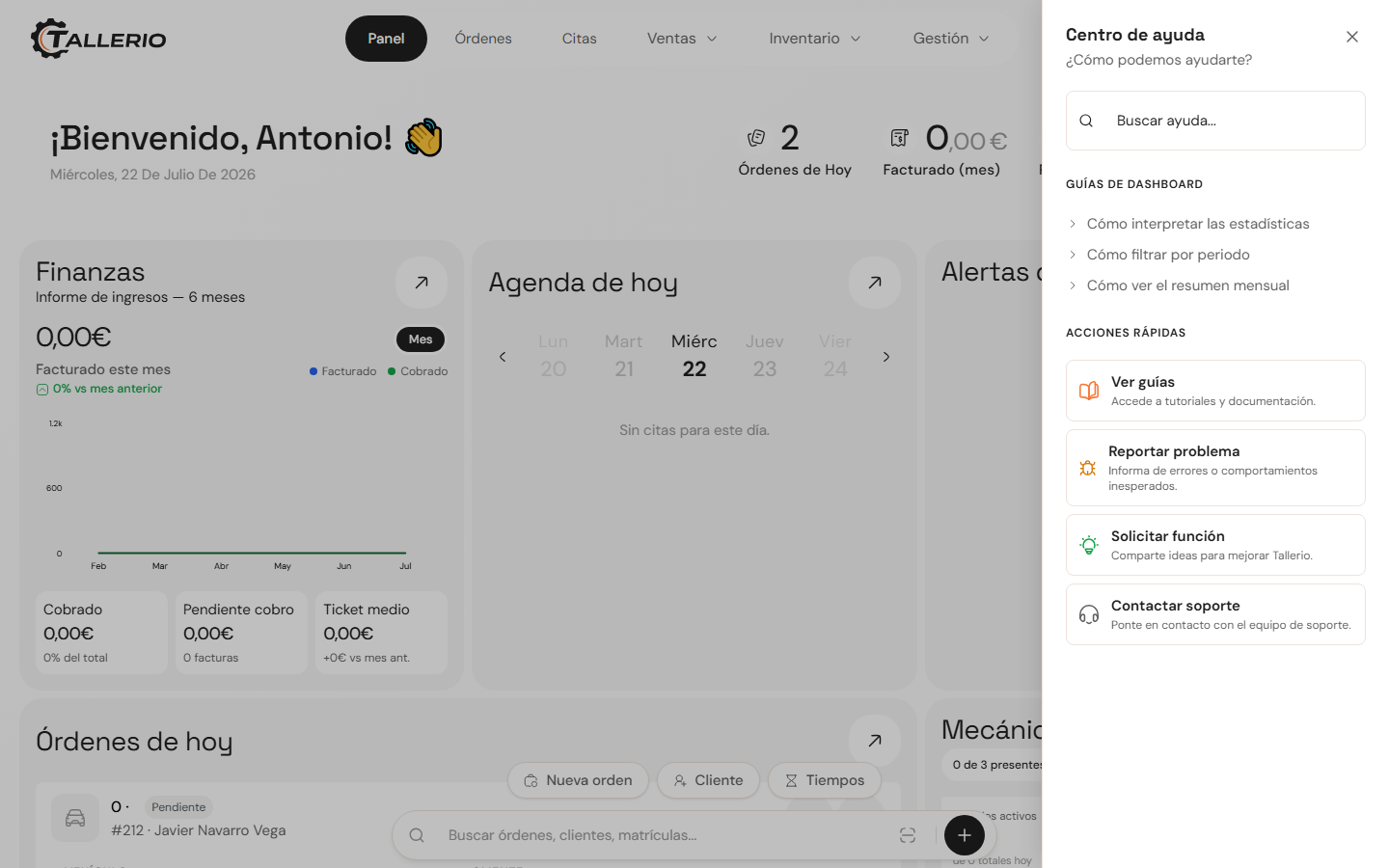
Click your profile icon (top right) and choose Help Center. A side panel opens with a guide search box, the guides for the section you're in and a set of quick actions.
Report a problem or request a feature
From the Help Center's quick actions:
- Click Report problem if something isn't working as expected, or Request feature to suggest an improvement.
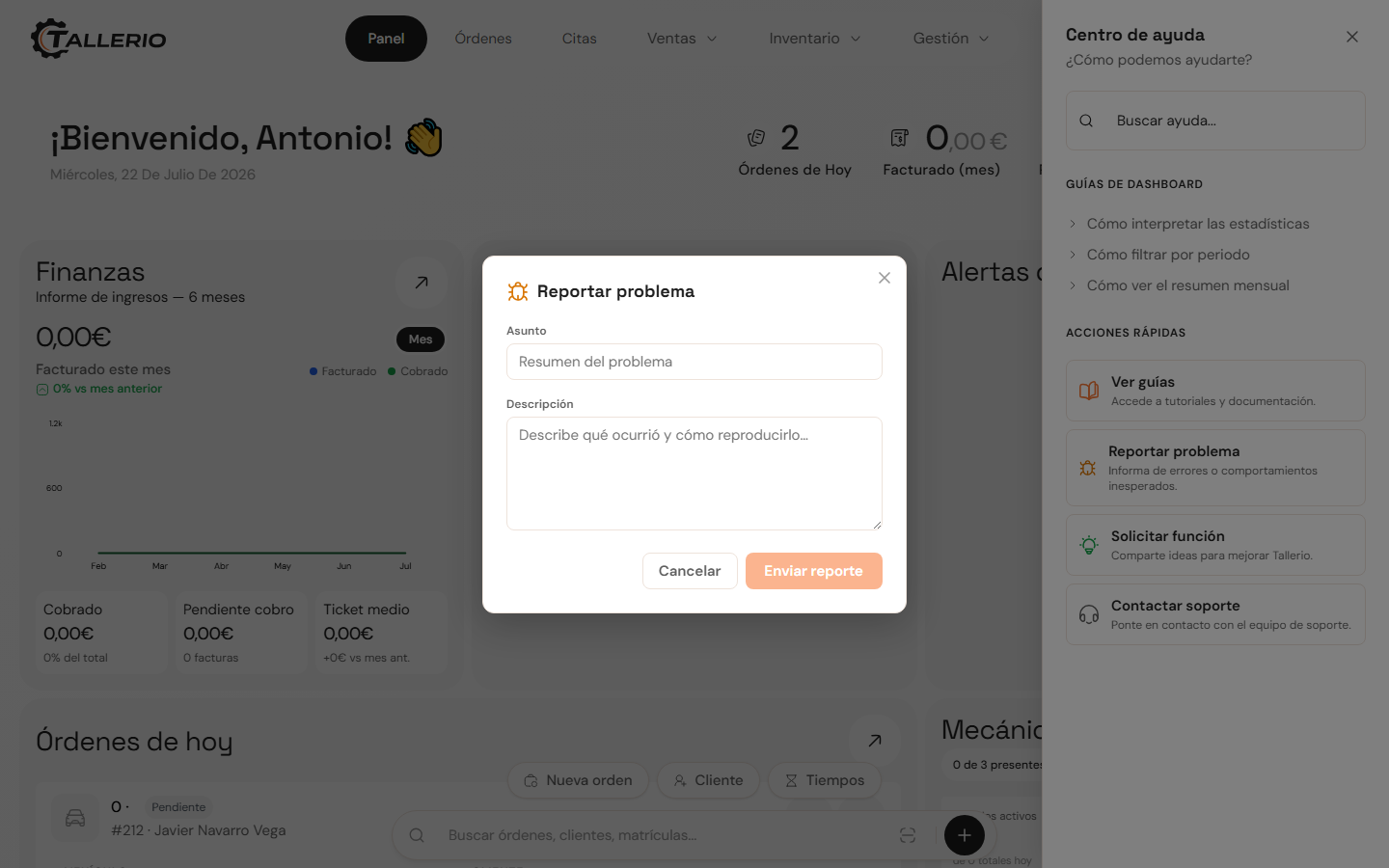
- A form opens. Write a brief subject and a description with as much detail as possible (what happened and how to reproduce it, or the idea you have).
- Click Send. Your message goes straight to the team, along with the page you wrote from to help us understand the context.
Contact support by email
If you'd rather use email, click Contact support in the Help Center or write to us directly at [email protected].
We reply within 24 business hours. The more detail you give us, the sooner we can help you.