In Tallerio, mechanics are assigned per job, not to the whole order. This way each person sees exactly which jobs are theirs, and you can distribute the workshop's load clearly.
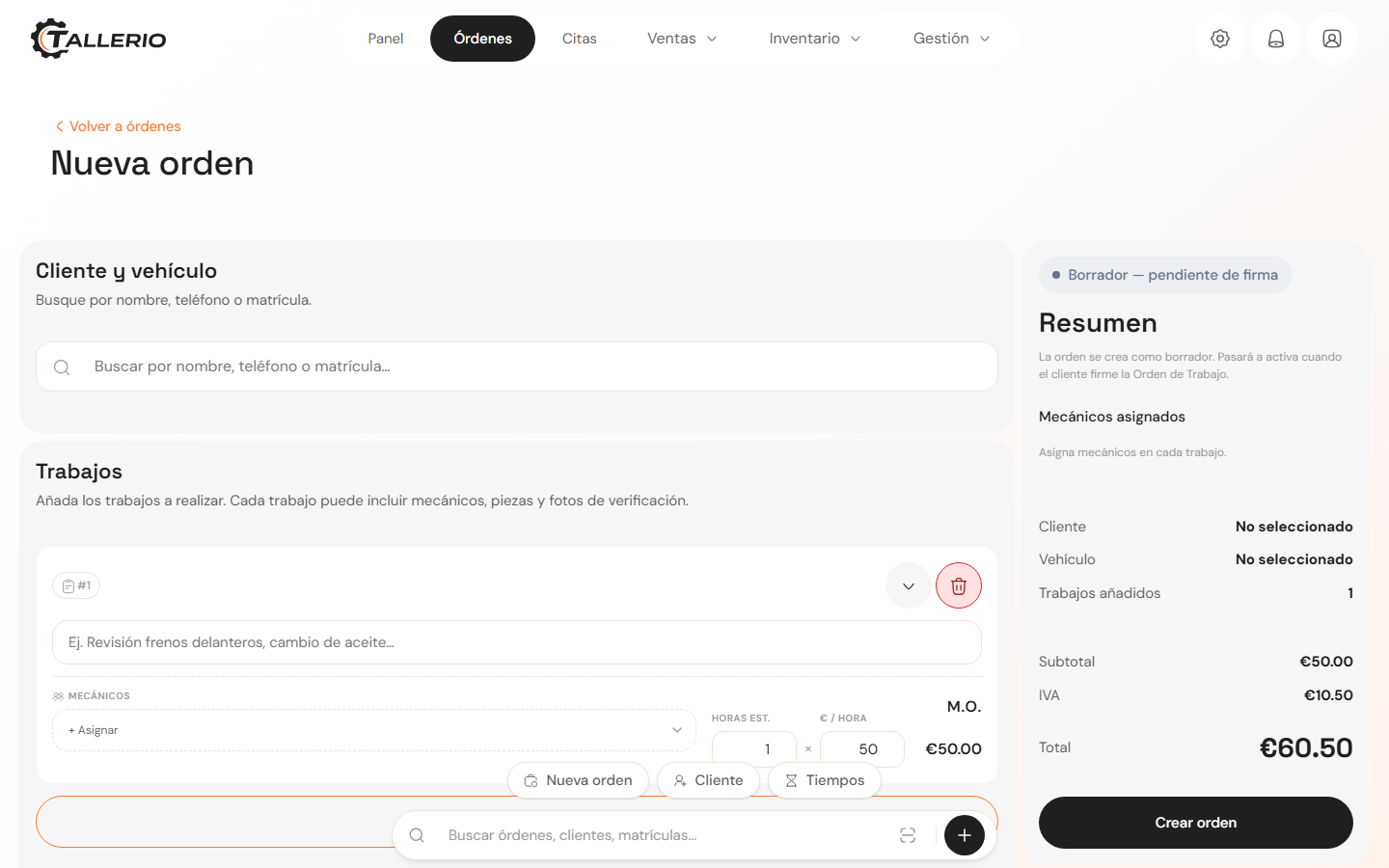
When creating the order
- On the New order screen, inside each Jobs card, look for the Mechanics field.
- Click the + Assign dropdown and choose the mechanic by name and role.
- Repeat to assign more than one mechanic to the same job. To remove someone, click the ✕ next to their name.
The Summary on the right shows the list of Mechanics assigned to the order.
On an order that already exists
- Go into Orders and select the order.
- When adding a new job, check the mechanics in the form's assignment list.
- When you register the vehicle's arrival (Vehicle arrived), you can also choose which mechanic or mechanics will handle it.
Only workshop staff appear in the assignment selectors. Office roles (reception, administration, etc.) are excluded so they don't get mixed in with the mechanics.
Viewing the workload
When assigning, the app takes into account how many active orders each mechanic already has, so you can spread the work among those who are less busy.