Every order shows a status indicating where it stands in its lifecycle. Knowing them helps you filter the list and know what to do next.
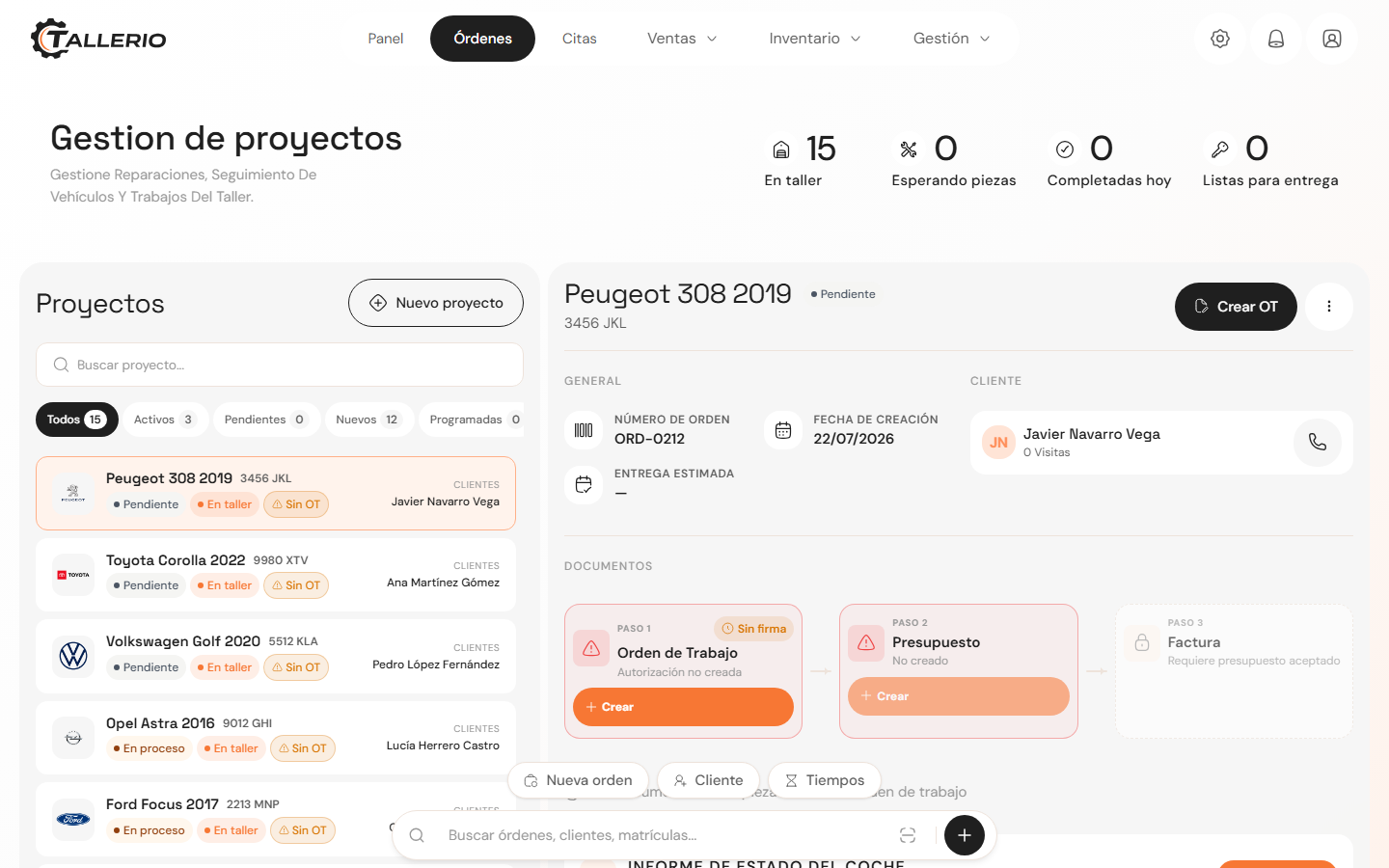
The statuses and what they mean
- Pending signature (draft): the order has just been created. It's waiting for the client to sign the Work Order; it doesn't start until then.
- Scheduled: comes from a confirmed appointment, but the vehicle hasn't arrived at the workshop yet.
- New: vehicle at the workshop, work not started yet.
- In progress: jobs are underway (a mechanic has clicked start).
- Waiting for parts: work is paused, waiting for parts to arrive.
- Waiting for response: waiting on a decision or confirmation from the client.
- No activity: the order is open but with no recent movement.
- Payment pending: the work is finished and payment is still due.
- Completed: the repair is finished.
- Cancelled: the order has been voided.
Filter by status
At the top of the list you can filter orders by group: All, Active, Pending, New and Scheduled. Each tab shows how many orders are in that group.
At the very top you'll also see quick indicators: In workshop, Waiting for parts, Completed today and Ready for delivery.
Only office staff can change an order's status. Mechanics work from the job list, and the status advances to In progress when they start a job, not when it's added.
Vehicle delivery
To mark an order as Completed, there must be no outstanding balance on its invoices. If there is, the app will warn you before letting you close the order.